Secure Storage
Keep logins in one vault. Secrets are encrypted on the device before they are stored.
Keep your passwords safe, organized and always with you. Your data, your control.


Keep logins in one vault. Secrets are encrypted on the device before they are stored.
On supported devices, enable optional fingerprint or face unlock after your vault is set up.
Save your Recovery Key during setup. It can restore the vault if you forget the master password.
The server keeps ciphertext and labels. It does not have a decrypt path for vault secrets.

Simple tools that are actually in the Android app and matching web vault.
Save titles, usernames, URLs, and encrypted secrets. Favorite, edit, and find them after unlock.
Each secret is encrypted on the client with AES-256-GCM before it is sent. The API stores the ciphertext envelope.
Add notes to a credential. Notes are part of the encrypted secret payload, not a separate notes app.
Unlocked sessions can sync encrypted items with your account, including an offline ciphertext cache on the phone.
Install, protect the vault, then save credentials.
Get the Android app from Google Play and create an account with email verification. Phone verification may also be required.
Create a master password, save your Recovery Key, then set a device MPIN. Biometric unlock is optional on supported hardware.
Unlock the vault, add credentials, and sync encrypted copies with your account for other signed-in devices.
Security details below match the current client-side vault design. This site does not claim a third-party audit.
Vault secrets are encrypted on your device. Servers store ciphertext, not a readable password list.
Your master password derives a key on the device and is not sent as vault plaintext.
Optional convenience unlock where the OS supports it. MPIN remains the device PIN gate.
A saved Recovery Key can restore the same vault. If both it and the master password are lost, items cannot be decrypted for you.
Promotional mockups of vault home, unlock, recovery, and credential detail. These are artwork, not captures of the live app.


No public customer testimonials were supplied for this page, so this section lists verified product behavior instead of invented reviews.
Credentials are wrapped with a vault key before they leave the phone or browser. Administrators do not have a decrypt endpoint.
Use the Google Play app day to day, or sign in to the web vault at app.securevault.click.
Keep the Emergency Kit. A correct Recovery Key can restore the vault. Losing both keys means those secrets stay unreadable.
A password manager and encrypted vault for Android, with a matching web vault. You store logins, unlock them locally, and sync encrypted copies with your account.
Install it from Google Play for package com.samir.securevault. Web sign-in is at app.securevault.click/login.
The master password stays on your device. The app uses it to derive a key and unwrap the vault key, then decrypt items in memory.
If you can still sign in and have your Recovery Key, you can restore the vault and set a new master password. If both the master password and Recovery Key are gone, Secure Vault cannot decrypt those items.
Email support@securevault.click.
 Secure Vault
Get the Android app and keep your digital credentials organized.
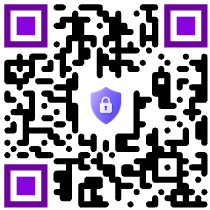 Scan for Google Play